

How to make a return
Requesting a return is very simple. It only takes a few steps, but be sure to read the terms and conditions before proceeding.
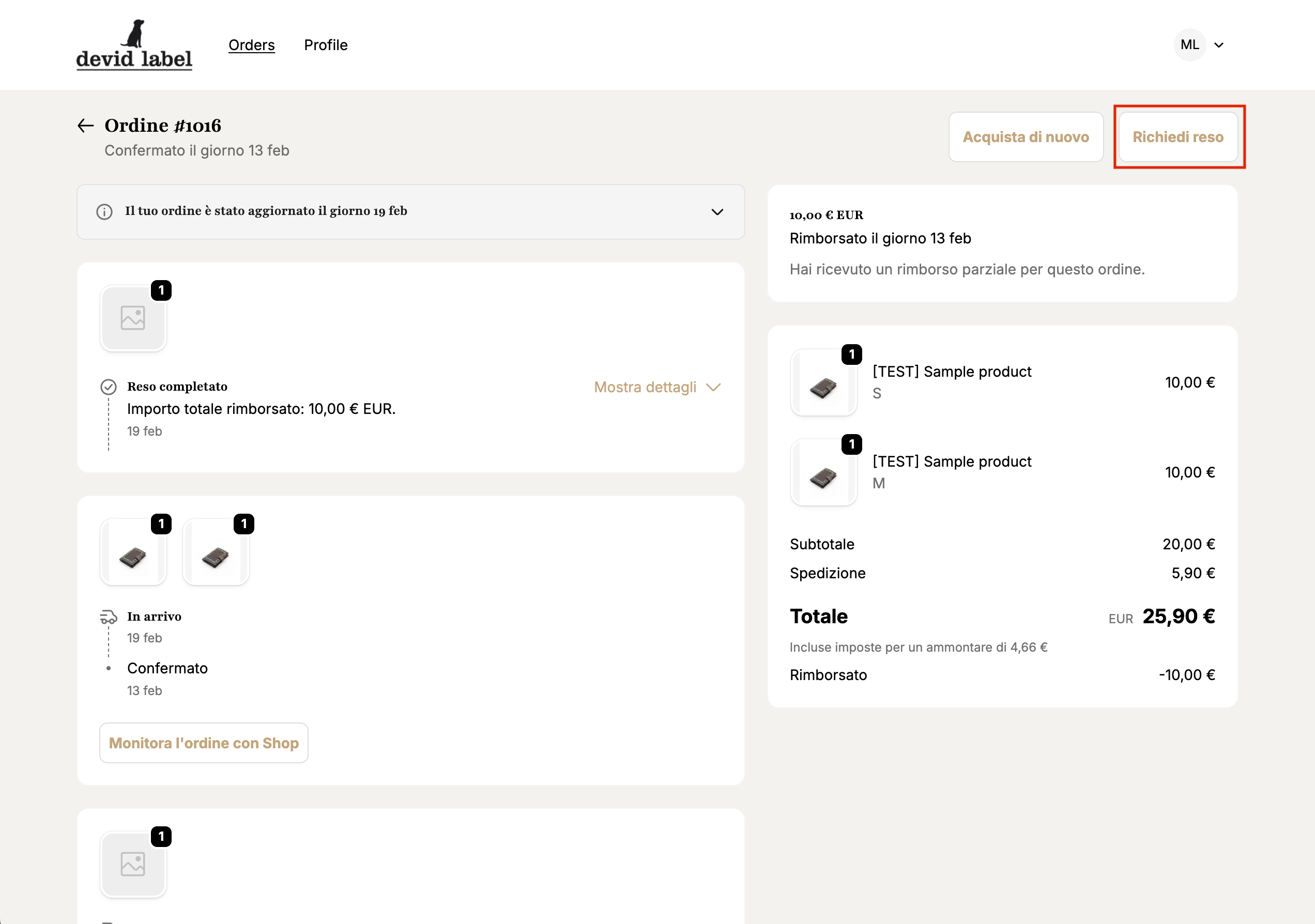
Passo 1
From your order page, you'll find the button to open a new return request at the top right.
By clicking you will be taken to a page where you can define the return details.
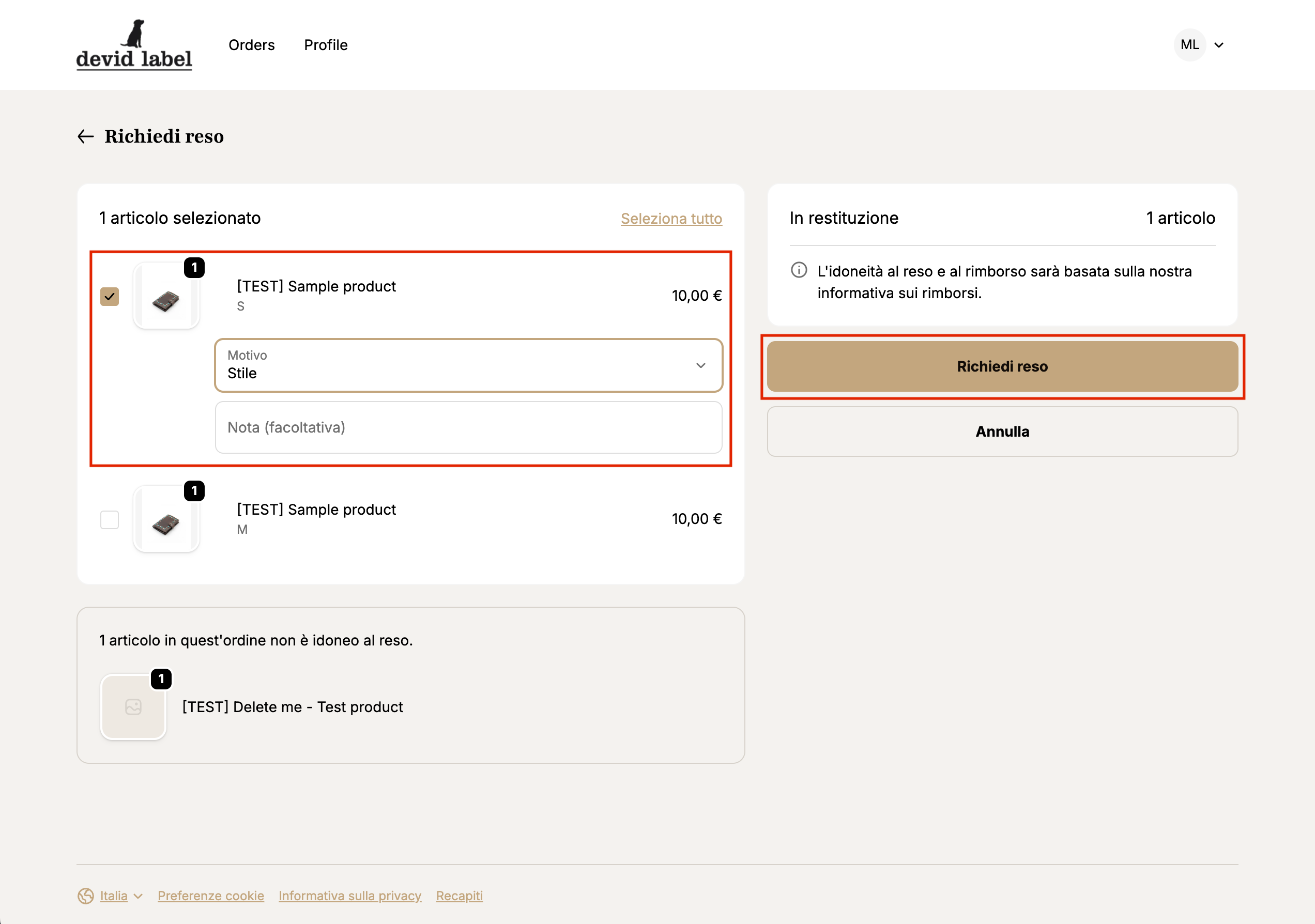
Fase 2
Select the products for which you wish to request a return reason.
If necessary, you can also leave an additional note.
Once you have entered the necessary data, click on "Request return" to complete the request.
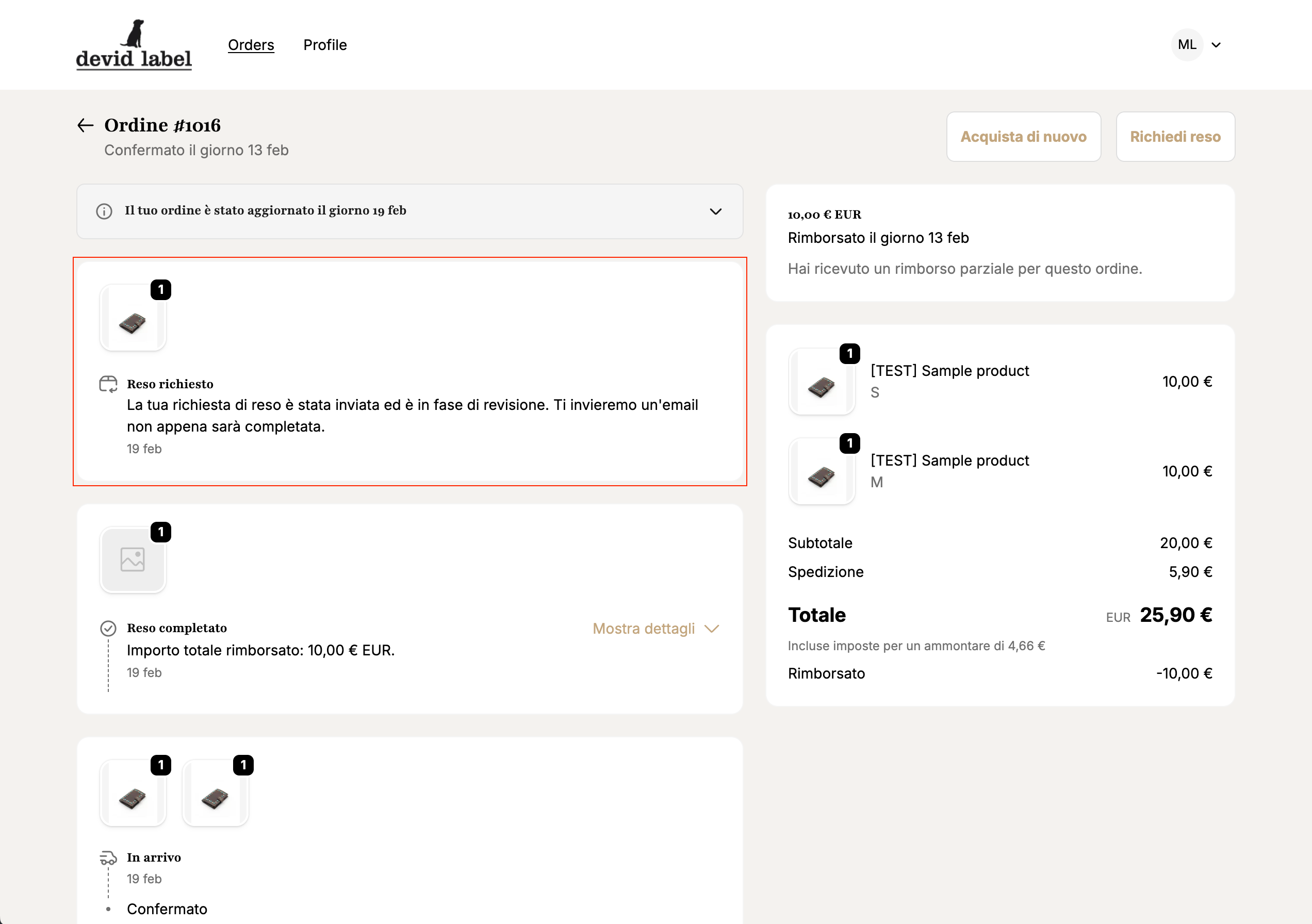
Passaggio 3
Once the return request is completed, you will receive a confirmation email.
You will receive a response as soon as our team has processed your request.
You can also track the status of your return from your order page.
